New in LexWorkplace
October 22, 2026
In This Release
This LexWorkplace update is packed with new features and quality-of-life improvements.
LexWorkplace Archive
Matter Notes, Reimagined
Better Pagination
Recent Clients
New Usage Meters (Home Page)
LexWorkplace Archive
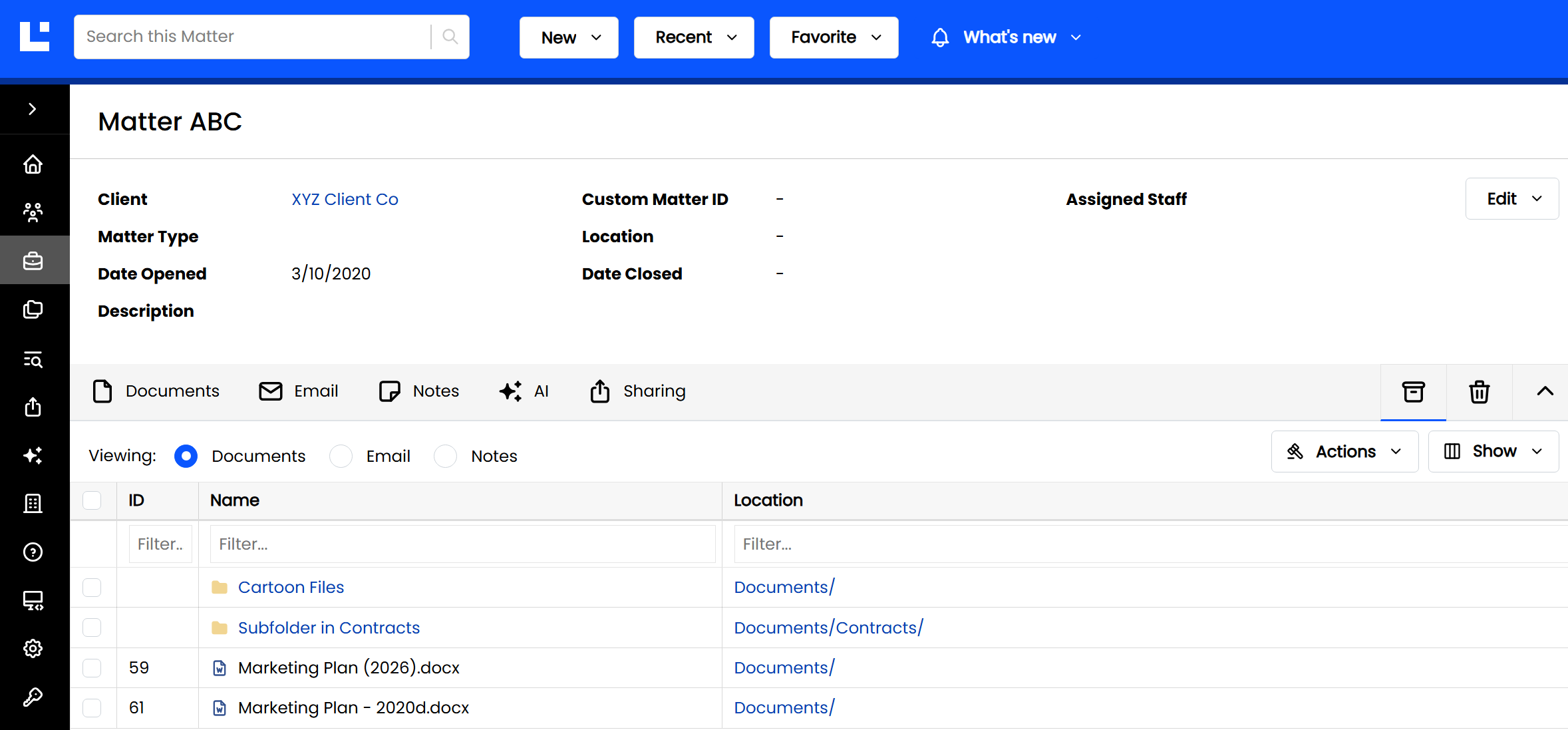
Old, closed Matters and bulky files you rarely touch (think discovery dumps or video) still need to be kept, but they don't need to be searchable or ready for AI. LexWorkplace Archive gives you a lower-cost place to store them.
Archived items stay right where they are in LexWorkplace, but Search, OCR, and AI are turned off for them. In exchange, archive storage is billed at a lower rate than standard storage. You can:
Archive an entire Matter: ideal for old or closed Matters.
Archive specific items within a Matter: documents, email, notes, or folders, while the rest of the Matter stays active.
Archived items can still be previewed, renamed, and downloaded, and you can un-archive them at any time.
Note
Archive is available on LexWorkplace Core and Advanced (but not Starter)
To learn more, see LexWorkplace Archive.
Matter Notes, Reimagined
Matter Notes just got a glow-up! ✨
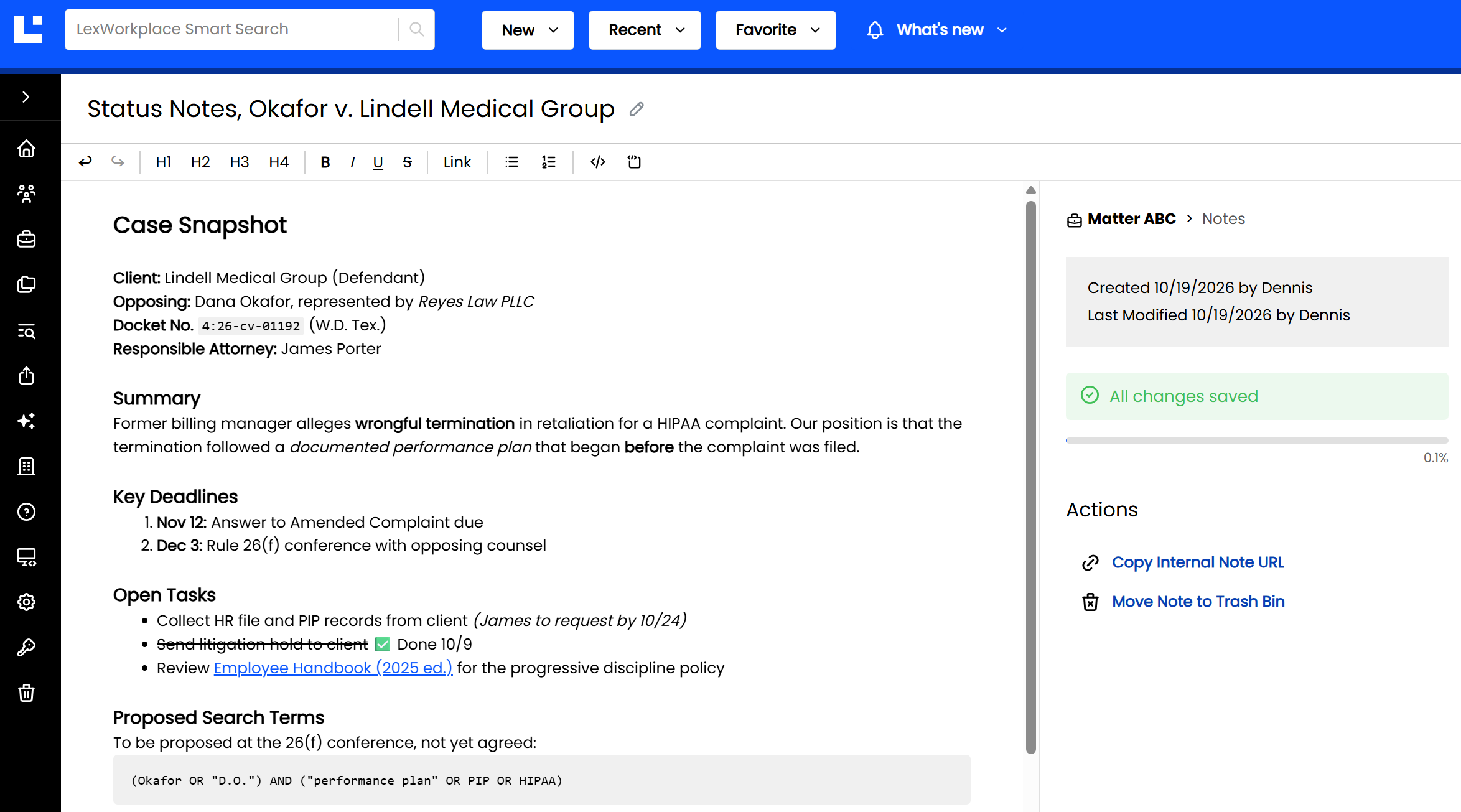
Back in July, Matter Notes moved from plain text to rich text. This update goes much further. We’ve redesigned the note itself, so writing a note in LexWorkplace feels less like filling out a form and more like working in a modern document.
Here’s what’s changed:
Full-page writing space. The note body is no longer confined to a small text box. It spans the entire page, with plenty of room for long-form notes like case strategy memos and research.
Auto-save. Notes save automatically as you type, so there’s no Save button to click and no work to lose.
A cleaner title. The note’s title sits at the top of the page. To rename a note, hover over the title and click the pencil icon.
Always-handy toolbar. The formatting toolbar (headings, bold, lists, links, code blocks, and more) stays pinned to the top of the page as you scroll.
Note details at a glance. A sidebar shows the note’s Matter, who created and last modified it, its save status, and quick Actions, including Copy Internal Note URL and Move Note to Trash Bin.
We think you’ll love it.
To learn more, see Matter Notes.
Better Pagination
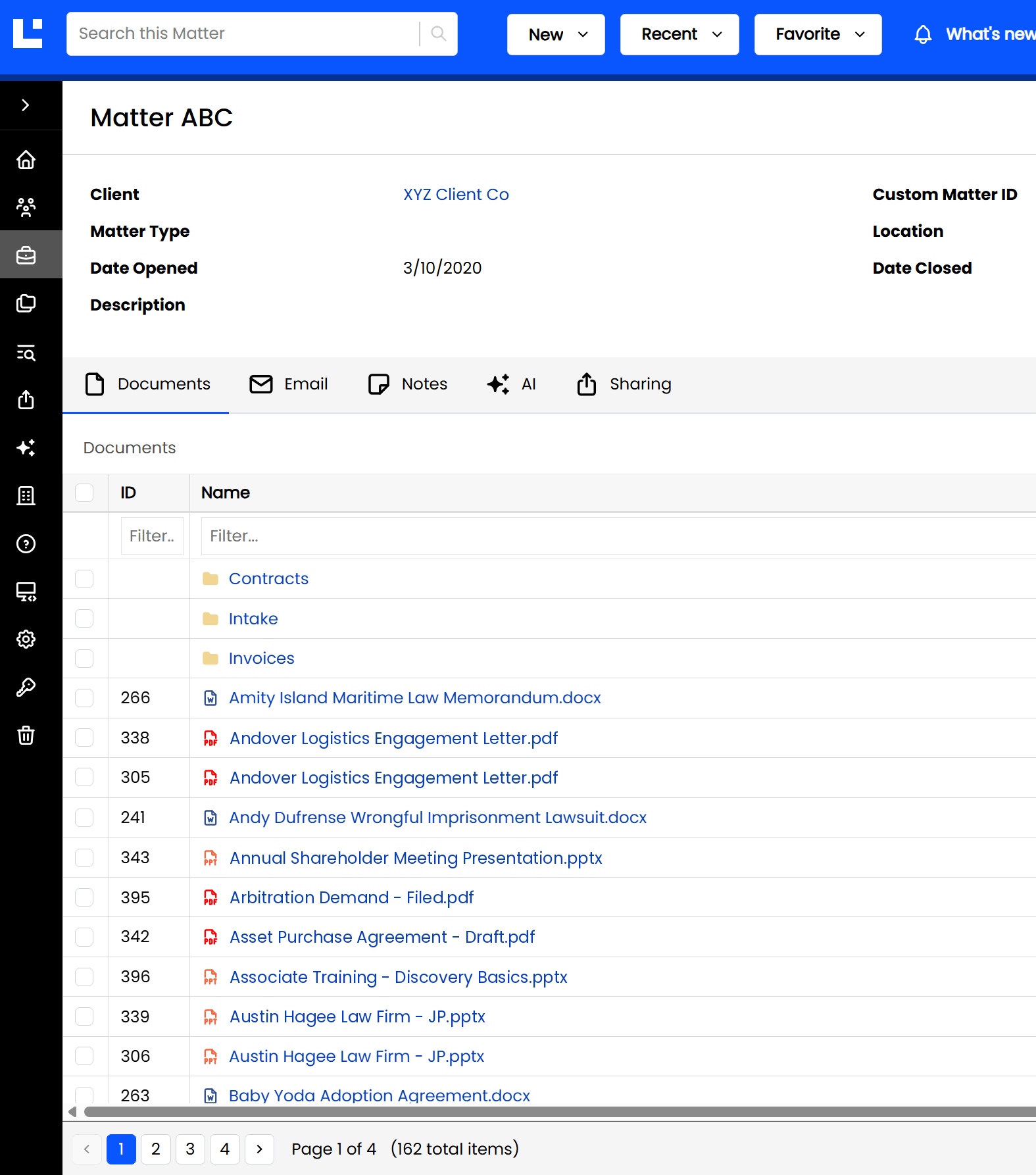
We’ve improved the pagination control that appears at the bottom of all lists. The new pagination makes it easier and faster to jump between pages, and allows users to jump right to a specific page (page 2, page 10) in a single click.
Recent Clients
The Recent menu in the top navigation now includes Clients, alongside Matters and Documents.
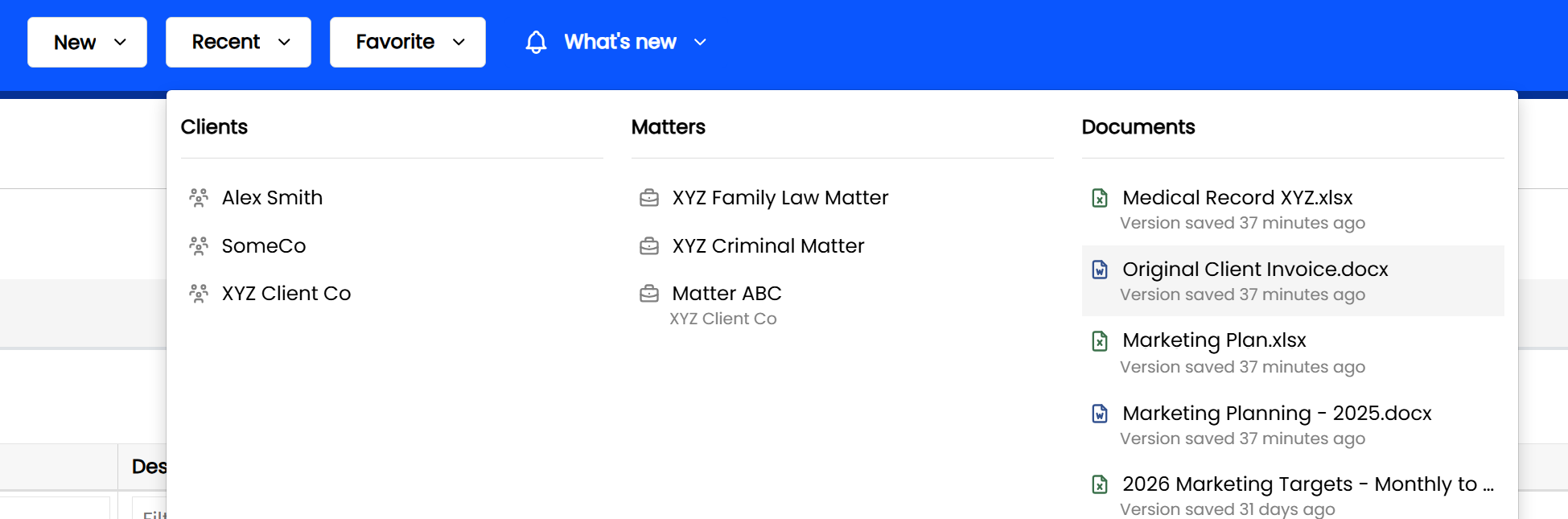
Recent Clients lists the Clients you've recently opened, so you can jump straight back to them. (A Client appears here when you open its Client page, not just one of its Matters.)
New Usage Meters
We've refreshed the usage meters on the Home page, with a new look and a new meter for Archive Storage. Now you can see your firm's standard storage and archive storage usage at a glance, right from the Home page.