New in LexWorkplace
September 24, 2026
In This Release
LexWorkplace AI: ask questions across your entire firm
My Firm: everything about your firm, in one place
My Profile (formerly User Attributes)
Upgraded AI model for all AI features
Firm Documents in the left navigation
New Show menu on list views
LexWorkplace AI: Ask Anything Across the Firm
First came Document AI (one document), then Matter AI (one Matter). Now LexWorkplace AI lets you have a conversation with your entire firm's knowledge: every Matter and your Firm Documents, including documents, emails, and notes.
Ask a question in plain English, like "How many acquisitions has the firm handled, and for which clients?" LexWorkplace AI searches across your firm, reads what it finds, and answers with citations, grouped by Matter.
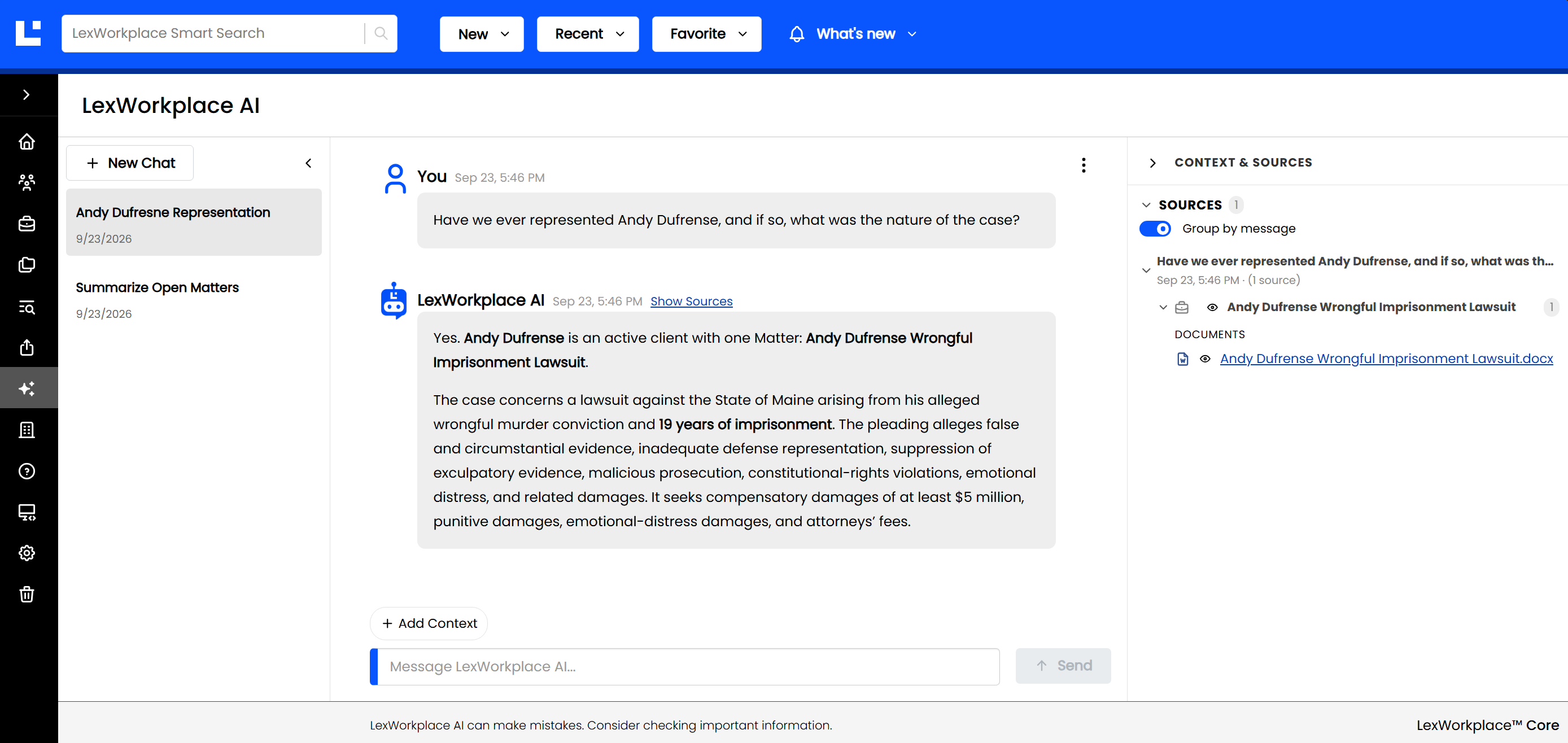
LexWorkplace AI answers questions across your whole firm and cites its sources.
To get started, click LexWorkplace AI in the left navigation. Know exactly where the answer lives? Use Add Context (just above the message box) to point LexWorkplace AI to a specific Matter, document, email, or note.
Tip
LexWorkplace AI respects your existing access. It can only see the Matters, folders, and documents that you can.
For the full how-to, see LexWorkplace AI.
My Firm
My Firm is a new page (in the left navigation, just below LexWorkplace AI) that brings everything about your firm into one place: your firm's display name, locations, and Firm Documents.
It's also where you teach LexWorkplace AI about your firm. Add your Practice Areas, a short About the Firm description, and firm-wide Custom AI Instructions, and they'll be applied automatically to every AI conversation for every user in the firm.
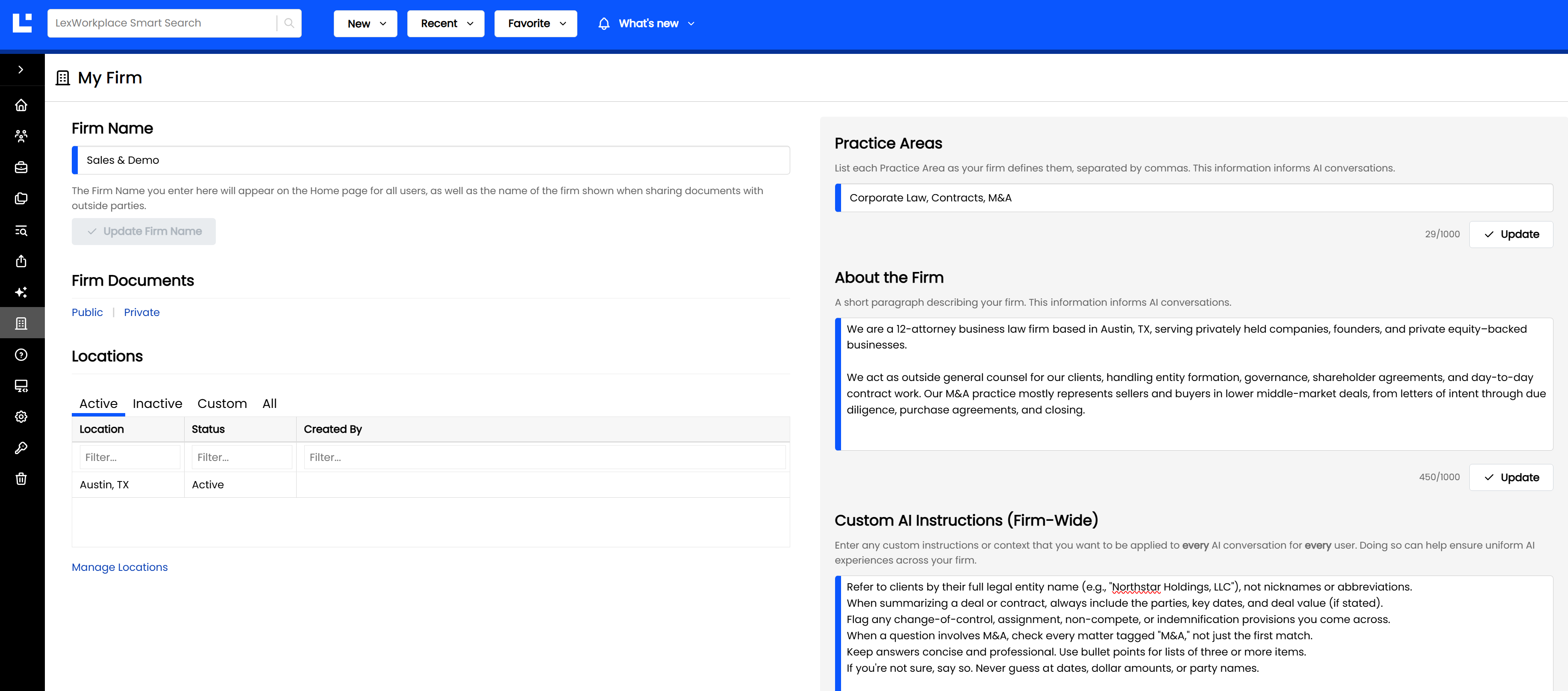
My Firm: your firm's name, locations, practice areas, and AI instructions in one place.
Editing the AI fields is controlled by a new right, Manage Firm-wide Custom AI Instructions, found in the new AI section of Groups and Rights.
For the full how-to, see My Firm.
My Profile
User Attributes is now My Profile, and it's easier to find: click your user icon in the top-right corner, then My Profile (it's also still under Settings).
Here you can update your display name and email address, and add your own Custom AI Instructions (Just My Login) — your role, preferred tone, and format — applied to every AI conversation, for you only.
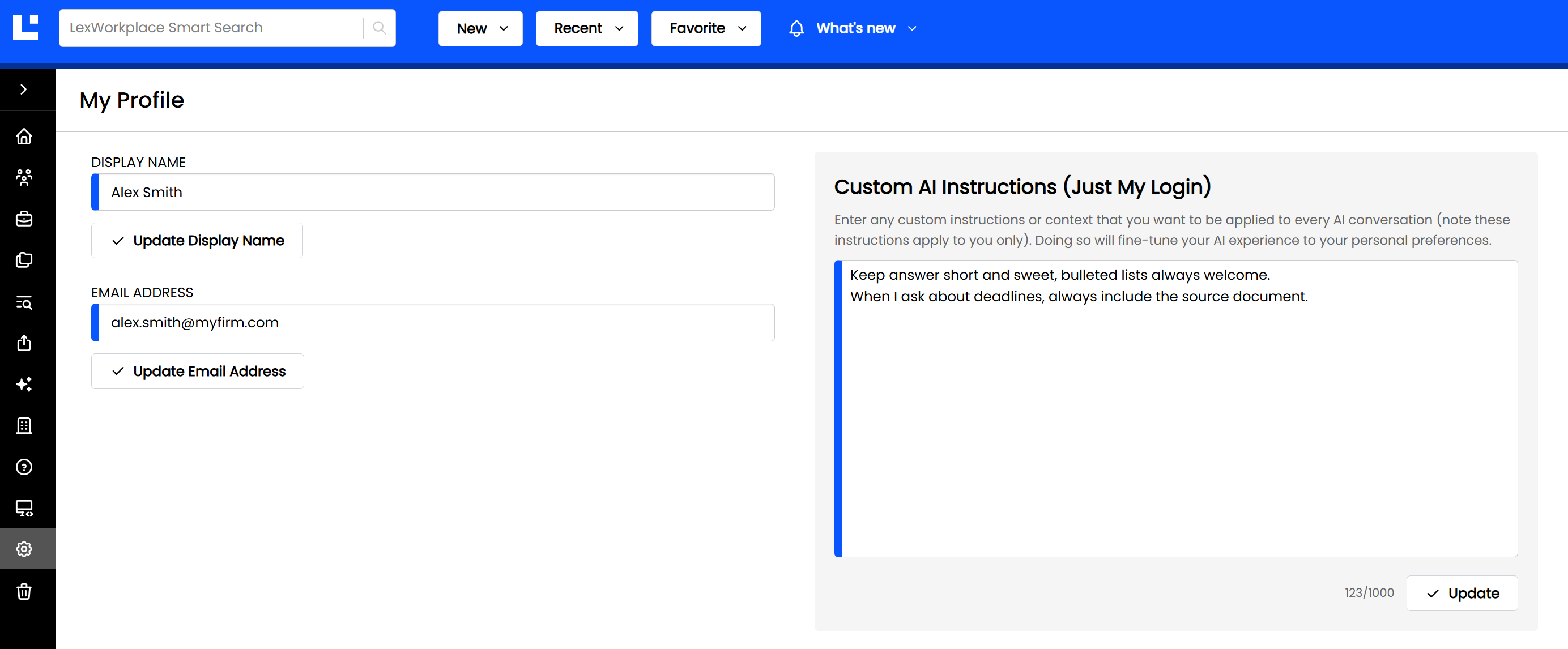
My Profile is now one click away, from the user menu.
Upgraded AI Model
We've upgraded all LexWorkplace AI features to a newer model, OpenAI’s GPT-5.6-luna. LexWorkplace AI, Matter AI and Document AI now deliver better answers across the board.
Other Improvements
Firm Documents in the left navigation. Public and Private Firm Documents now each have their own item in the left navigation, instead of tabs, so you can jump straight to the one you need. (This will also enable upcoming, additional functionality for Firm Documents.)
New Show menu on list views. Folders on Top and Show Items in Trash have moved to a new Show menu on every list view. And by popular request, Show Items in Trash now stays checked as you navigate or refresh.