New in LexWorkplace
March 12, 2026
In This Release
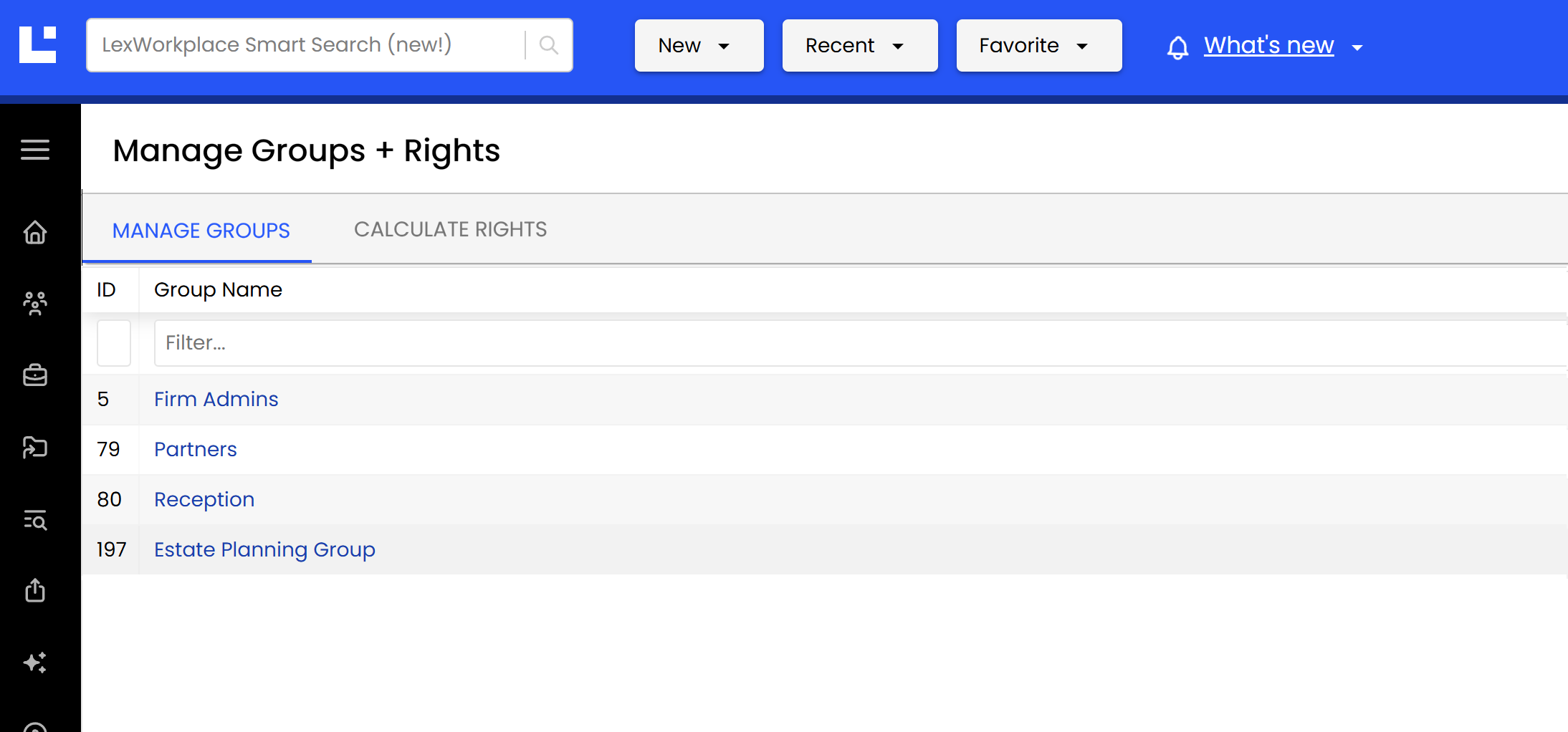
New: Manage Groups + Rights
Our latest update to LexWorkplace brings significant customization to Rights within LexWorkplace, providing much greater granularity surrounding what users can and cannot do.
Manage Groups & Rights
Prior to this release, LexWorkplace provided limited granularity around Rights and Group membership. Now, nearly every available action/operation in LexWorkplace has a corresponding Right that can be enabled or disabled for any given Group.
By using Groups + Rights Management, firms can tightly control what actions certain users/groups can perform (and which they cannot).
Managing Groups
User Groups have existed in LexWorkplace for some time, though historically Groups existed only to manage access to Matters (Permissions). With this release, individual Rights can be applied to each Group.
Managing Rights
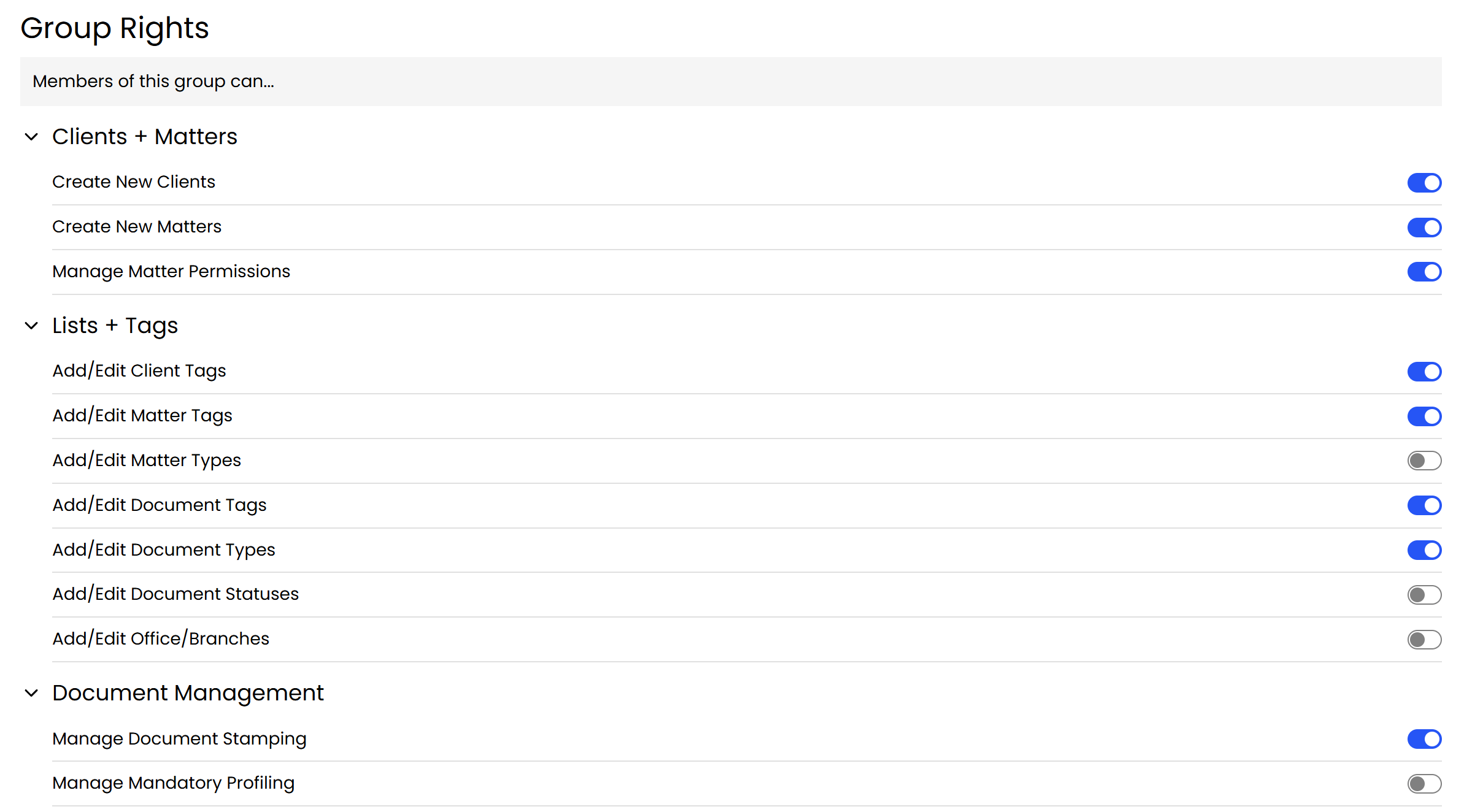
A Right in LexWorkplace is the ability for a user to perform certain actions or operations (such as creating Matters, sharing Documents or enabling an Integration). A Right can either be enabled (allow) or disabled (not allowed) for a given Group.
Given that virtually every available action in LexWorkplace has an associated Right (that can be enabled or disabled for any Group), firms can apply very nuanced and granular Rights across their firm.
For instance, you may want your Paralegal group to be able to create Clients and Matters, but not be able to create or edit Matter Tags/Client Tags/Document Tags. You can now simply create a group, apply the Rights you want members to have, and add users to that Group.
Learn More
You can learn more about administering Groups and Rights in our How-To Guide: