New in LexWorkplace
January 15, 2026
In This Release
Multiple Upgrades of LexWorkplace Search
Updated LexWorkplace Launcher
Our first update in 2026 makes improvements to both Search and the LexWorkplace launcher.
Upgrades to LexWorkplace Search
In prior updates, we’ve released Advanced Search and Smart Search. This update includes a number of improvements to user experience with LexWorkplace’s overall search and, in particular, the search results.
Search Result Tabs
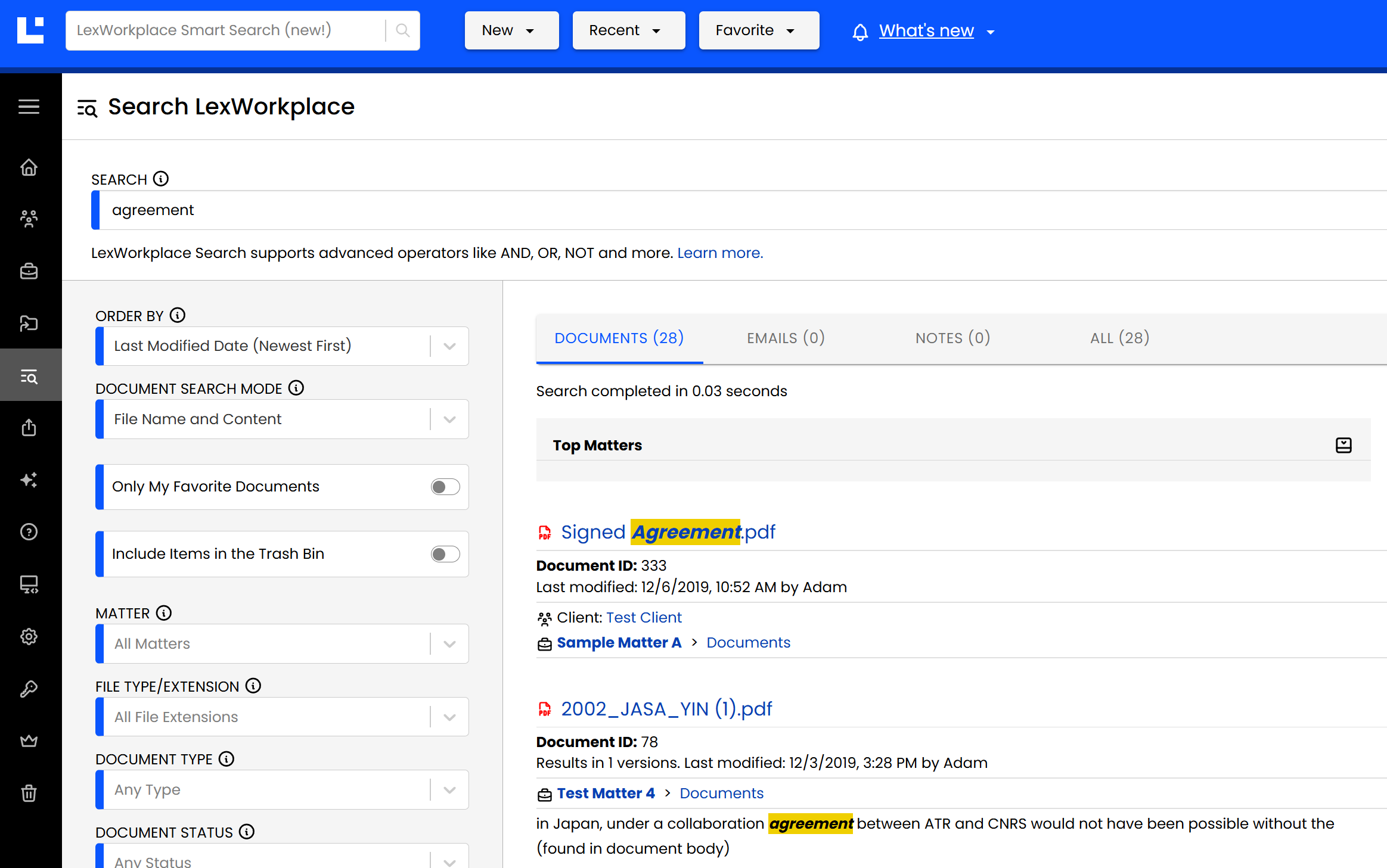
Now, when performing a Search in LexWorkplace, results will be available across four tabs:
Documents
Emails
Matter Notes
All
This functionality replaces the former ‘Include’ drop-down menu on the left navigation within Search. Now users do not need to specify which type of content they’re searching for (Documents, Emails, Notes). Users can simply navigate to the appropriate tab to see just those results.
Search Results Layout Improvement
We’ve also improved the layout of Search results, making them easier to quickly interpret.
We’ve increased line spacing and added keylines to help visually identify each element of search results.
Document Search Mode
When searching for Documents specifically, users can specify the mode of Document Search:
Document Name + Content
Document Name (Only)
This functionality was previously available under the ‘Include’ drop-down.
Search by File Type/Extension
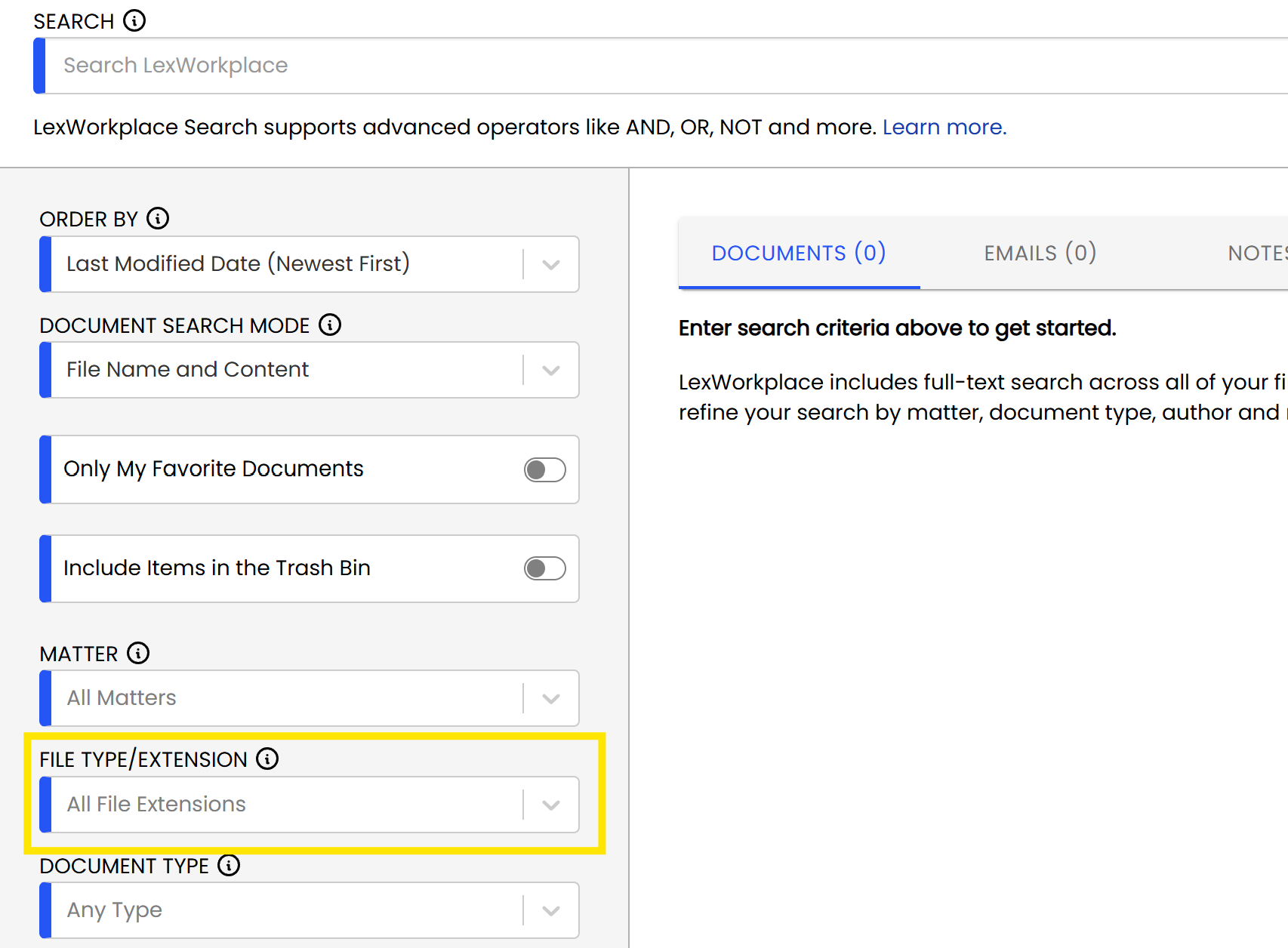
You can now search by File Type/Extension, such as limiting your search to only Word documents (DOC/DOCX), PDF documents, Excel workbooks (XLS/XLSX), and so forth.
Collapsible Top Maters
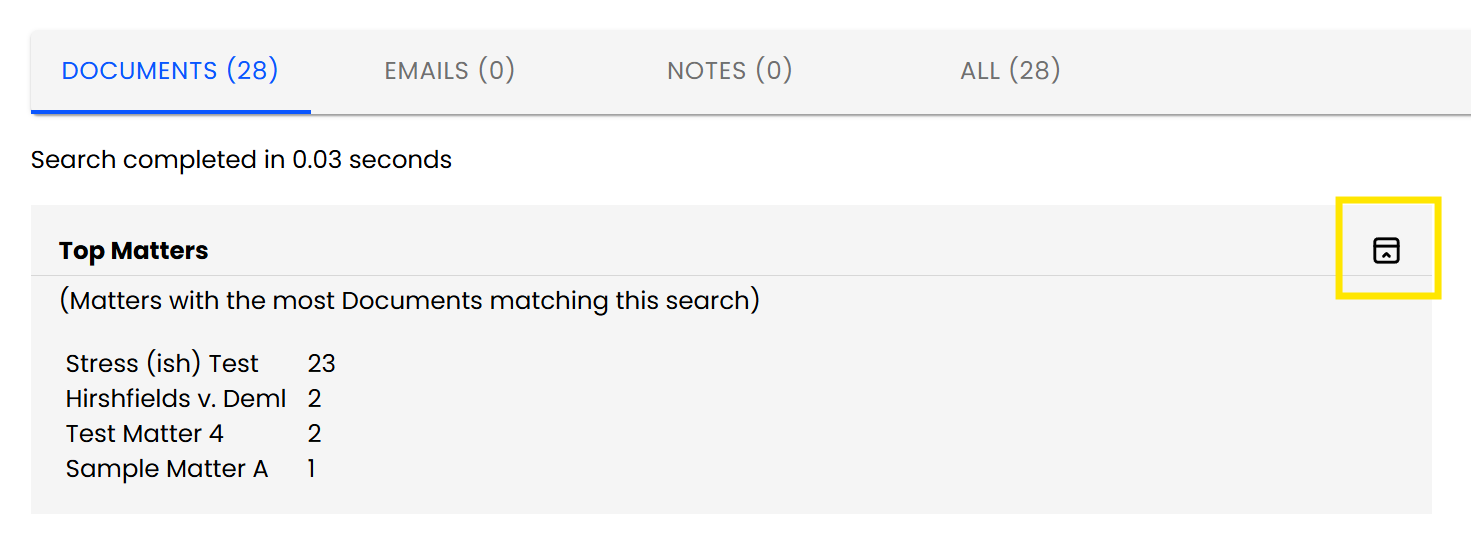
LexWorkplace has always shown the Top Matters at the top of each search result page, indicating to users which matters have the most “hits” for that particular search.
With this update, the Top Matters box is now collapsible and will remember how you left it (expanded or collapsed).
Launcher Redesign
We’ve redesigned the LexWorkplace Launcher to be both more aesthetically pleasing and useful.
.png)
Of note in the new LexWorkplace Launcher:
You will continue to see LexWorkplace upload/download activity as you have in the past.
The new Launcher also includes a number of Quick Links to help users get to what they need—faster.