New in LexWorkplace
April 9th, 2026
In This Release
Improved LexWorkplace User Interface
Export to CSV
A small, but impactful, update to LexWorkplace!
Improved LexWorkplace User Interface
We’ve updated core parts of the LexWorkplace UI, most notably all tables throughout the application. This includes every place in the software where you see a table, including the Client List, Matter List, Tags, Types, Documents, and more.
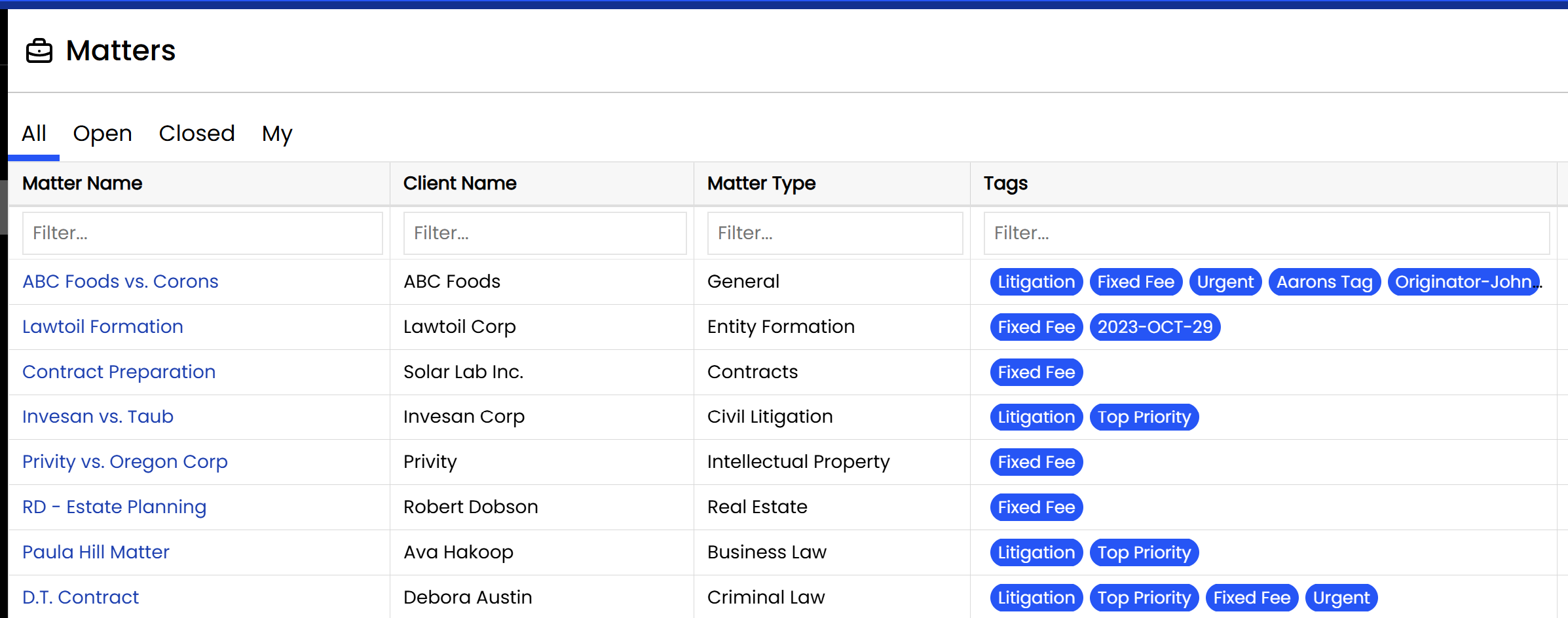
This UI improvement is more than just a pretty face. Tables in LexWorkplace are now even more responsive when dragging, sorting, and resizing.
Export to CSV
In addition, and by popular request, users can now export any table in LexWorkplace to a CSV file. This includes main tables such as your Client or Matter list, as well as system tables such as Document Types, Document Tags, Matter Tags, and so on.
To export any table in LexWorkplace, simply click:
Actions > Export Data as CSV
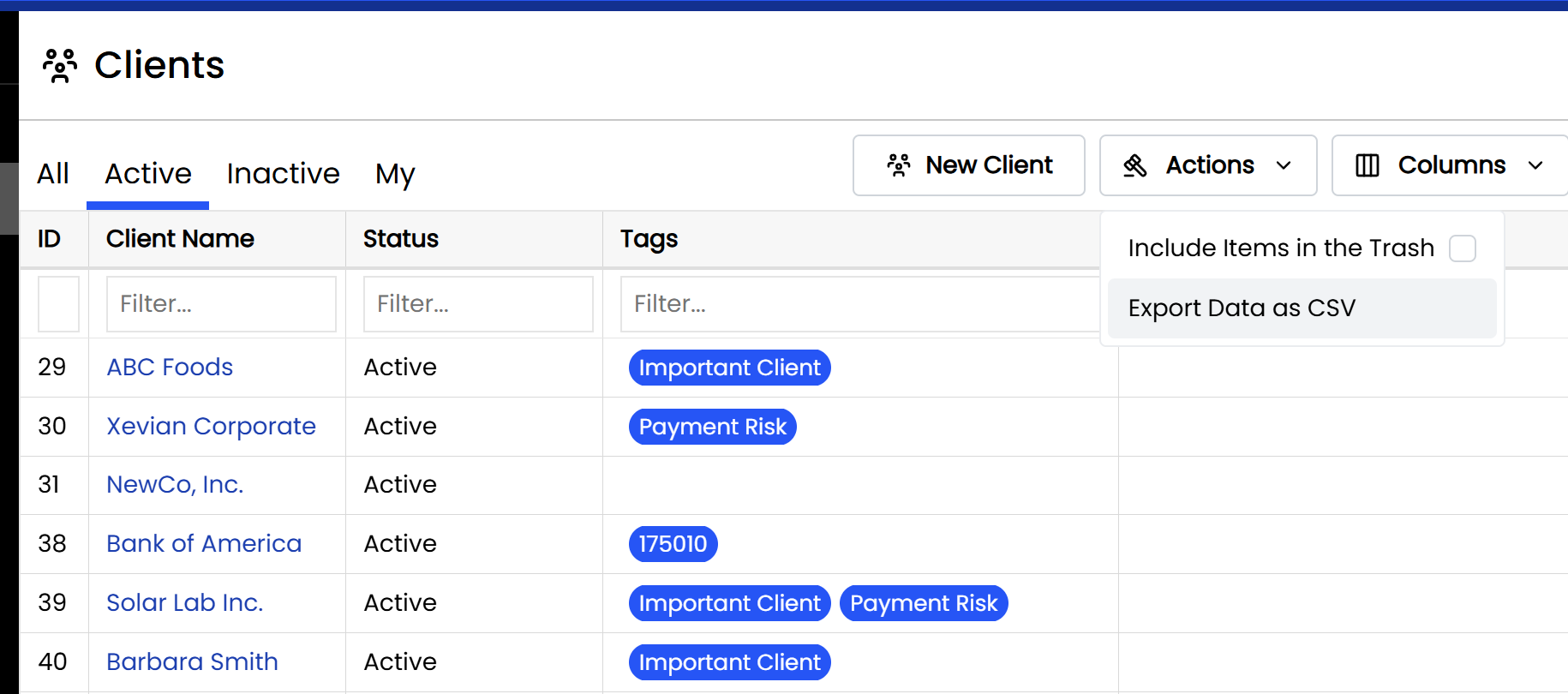
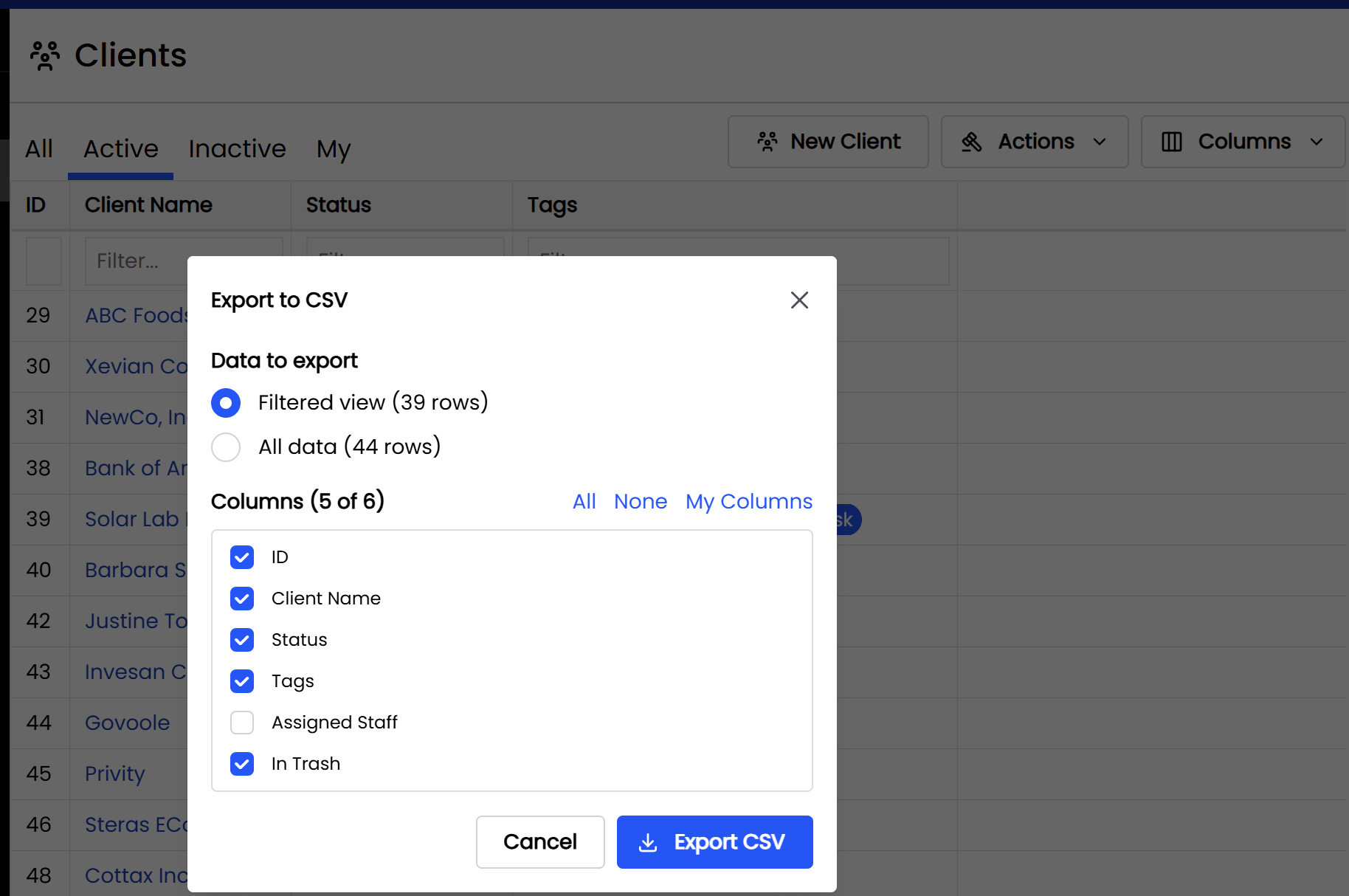
From here, users can export only the records shown in the current view (for instance, only Active Clients on the Active tab of Clients) or all records. Users can also select to include/exclude any columns that they wish.
Related
Reference: Exporting Documents + Data