LexWorkplace Release
December 4, 2025
In This Release
Mandatory Profiling
View PDF Inline (Preview)
New, Modern Iconography
Update to Multi-Factor Authentication (Enforce All Users)
Name New Document Created via Word Add-in
Miscellaneous Updates
Our November update to LexWorkplace is packed with new features and a range of user experience improvements!
Mandatory Profiling
One of our most-requested features is finally here: Mandatory Profiling.
Definitions: Profiling + Metadata
In LexWorkplace, every Document can have a number of properties populated including Document Type, Status and Tags. These properties are sometimes called Metadata in that it is information about the Document but does not live within the Document. Moreover, Profiling a document is simply the process of populating any or all of these fields.
Users have always been able to profile, or add metadata to Documents in LexWorkplace, including defining and applying Document Types, Tags and Statuses. Populating these Document Properties/metadata is a useful way to qualify, annotate and organize documents, but has always been optional.
Now, Firm Administrators can require that Documents be Profiled when saving to LexWorkplace, and can tailor the profiling requirements in LexWorkplace to align to your firm’s policies or practices.
Here’s an Overview:
Firm Admins can make any combination of Document Type, Document Status and Document Tags required fields (users must populate all required fields to save a new Document to LexWorkplace).
If applied, users will be prompted when saving/uploading a new Document to LexWorkplace.
Firm Admins can also enable the prompting to Profile documents without any required fields (useful if you want to gently nudge, but not require your team-members to profile documents).
Firm Admins can also exclude certain file types (such as images, PDFs or Office documents) from Profiling requirements. (EG: “Entering a Document Type is always required, except for XLSX files.”)
Users can upload and Profile many documents at once, via the multi-document Profiling workflow.
In this workflow users can batch-apply Document Types, Statuses or Tags to many documents at once (or can precisely Profile each Document individually).
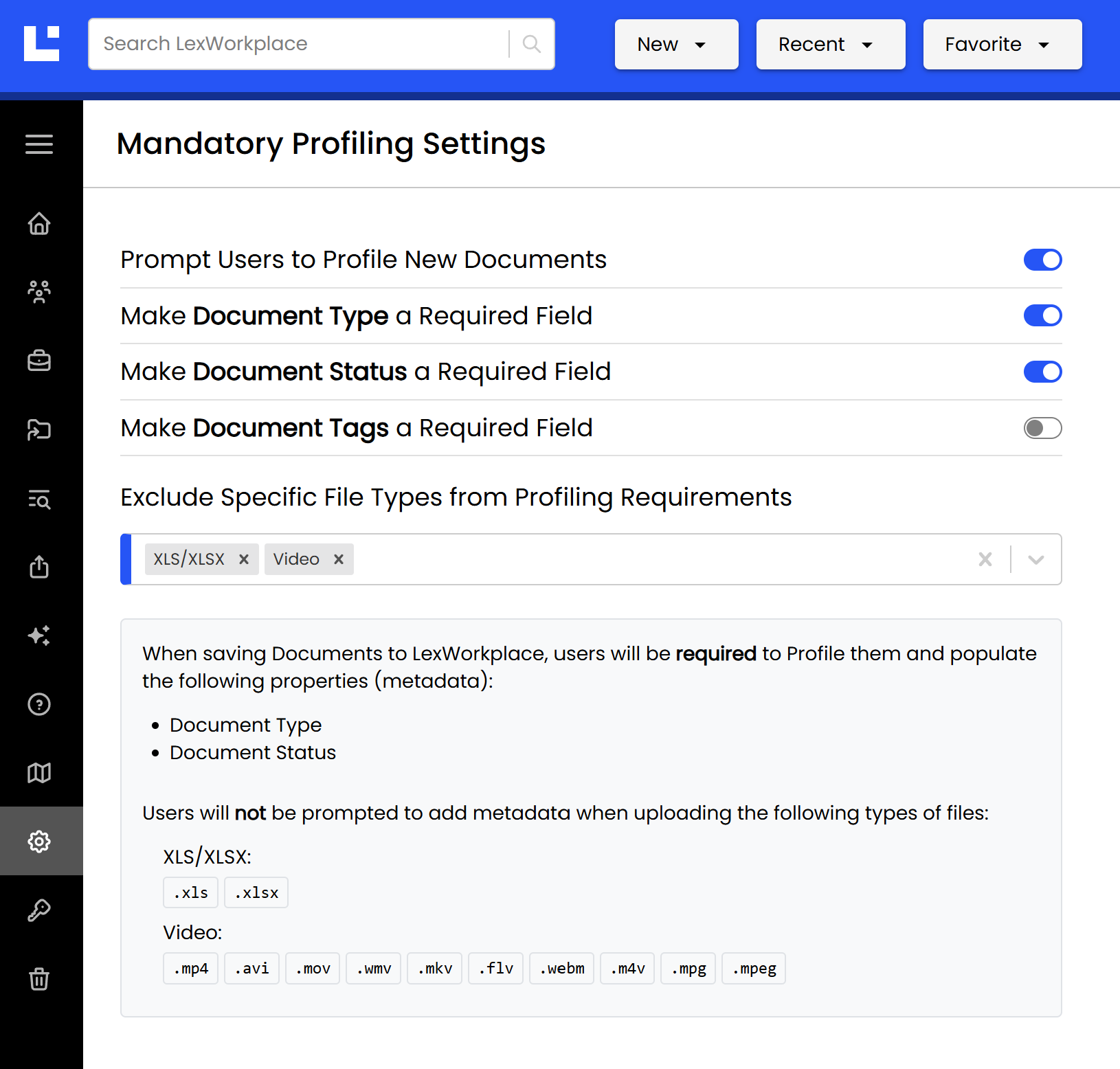
In the example above, the firm has enabled “Prompt Users to Profile New Documents,” and has made Document Type and Document Status required fields when saving new Documents to LexWorkplace. (Document Tags has been left not required.)
This firm has also excluded video files and Excel spreadsheets from these requirements. (LexWorkplace provides a natural-language summary of the current Profiling settings and ramifications at the bottom of this page.)
For more information, see our article: How to Manage Mandatory Profiling.
View PDF Inline
LexWorkplace users have long been able to preview any text-based document (Word document, PDF, etc.) by clicking the eye icon when hovering over a document (we refer to this as Full Text Preview).
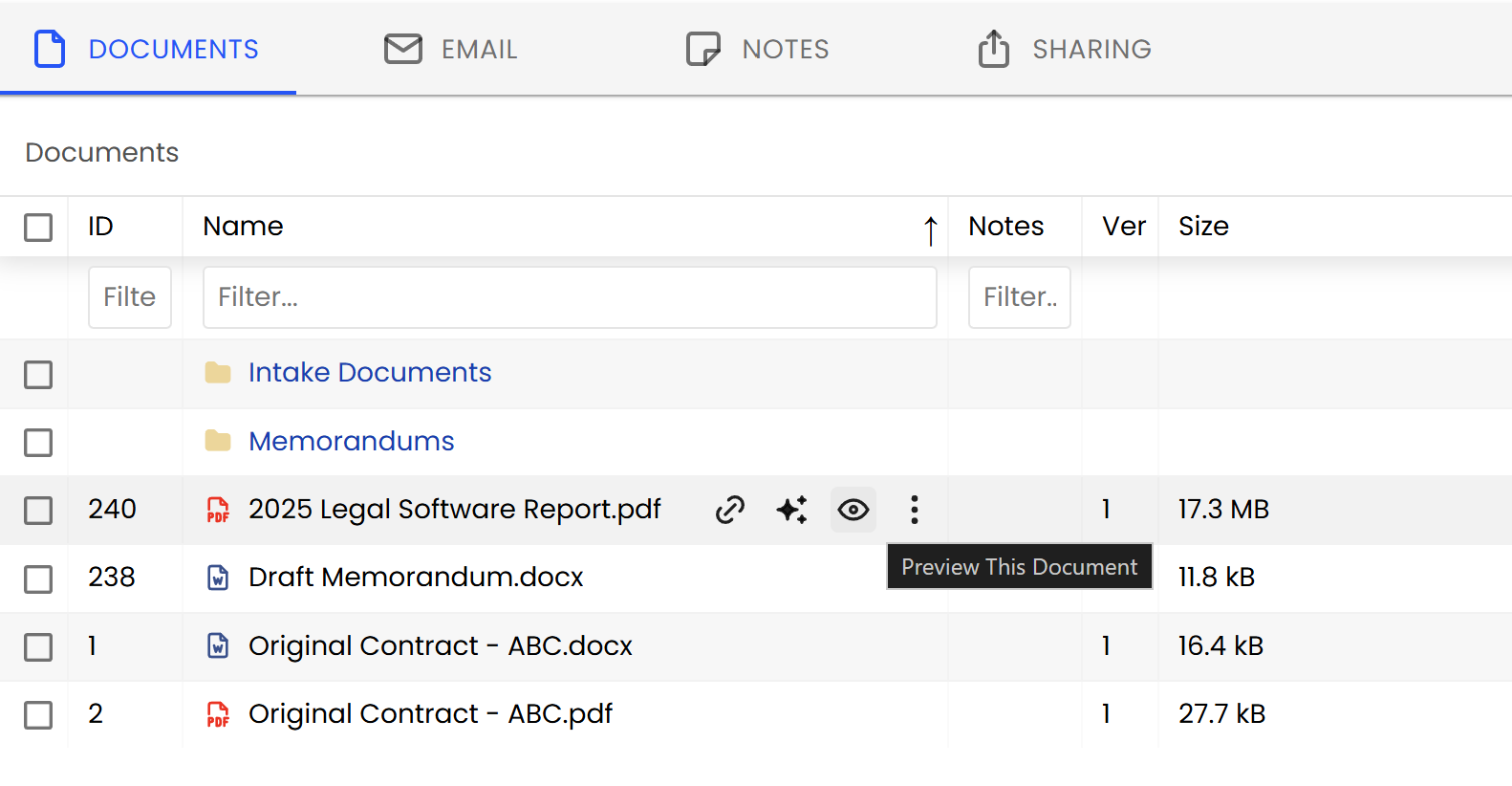
Now, when you preview PDF documents, the entire PDF will render inline, in the preview pane of LexWorkplace.
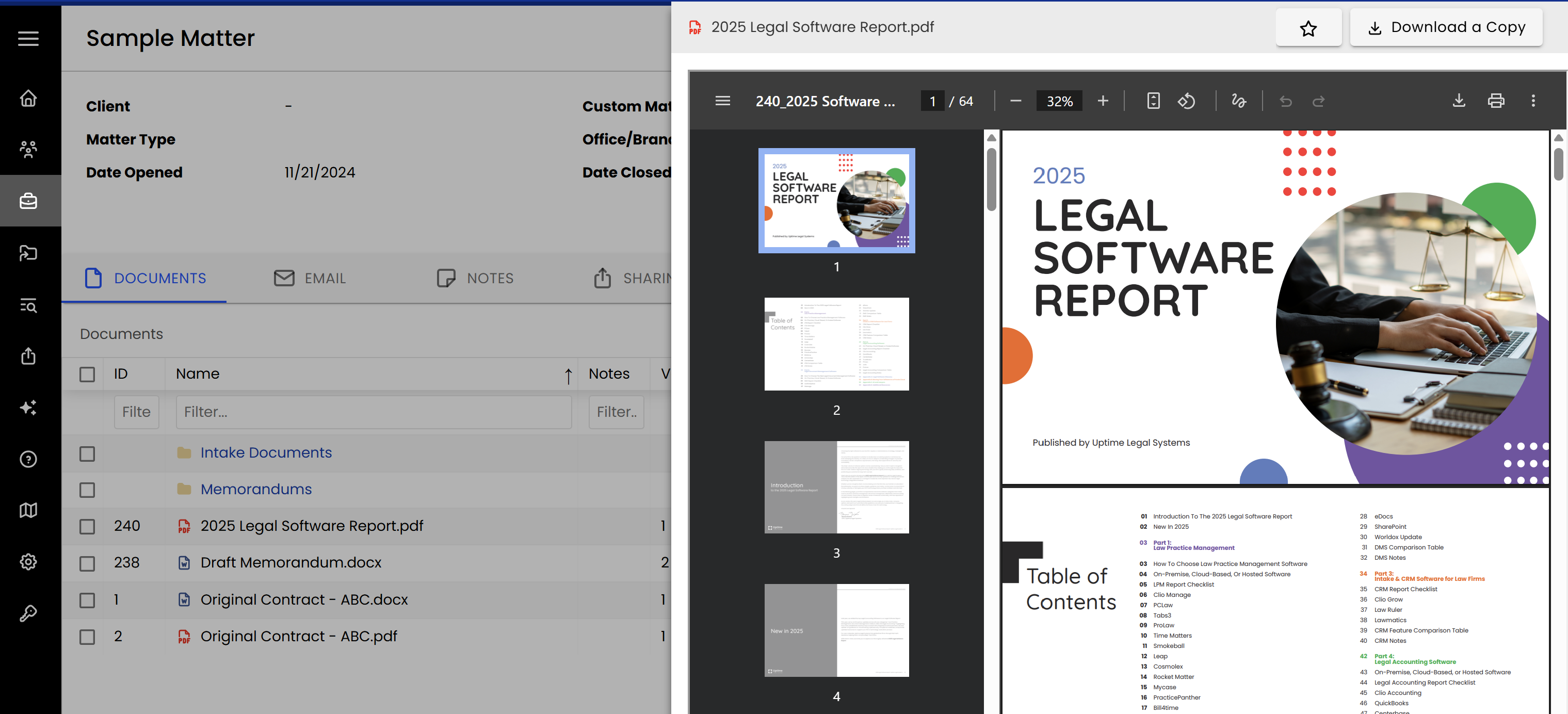
When you click preview for any PDF document, LexWorkplace will open and render the full PDF, with pagination, in LexWorkplace (in your browser). Note that if you wish to edit a PDF you must still open it by clicking the document name (where it will be opened by the LexWorkplace Launcher).
New, Modern Iconography
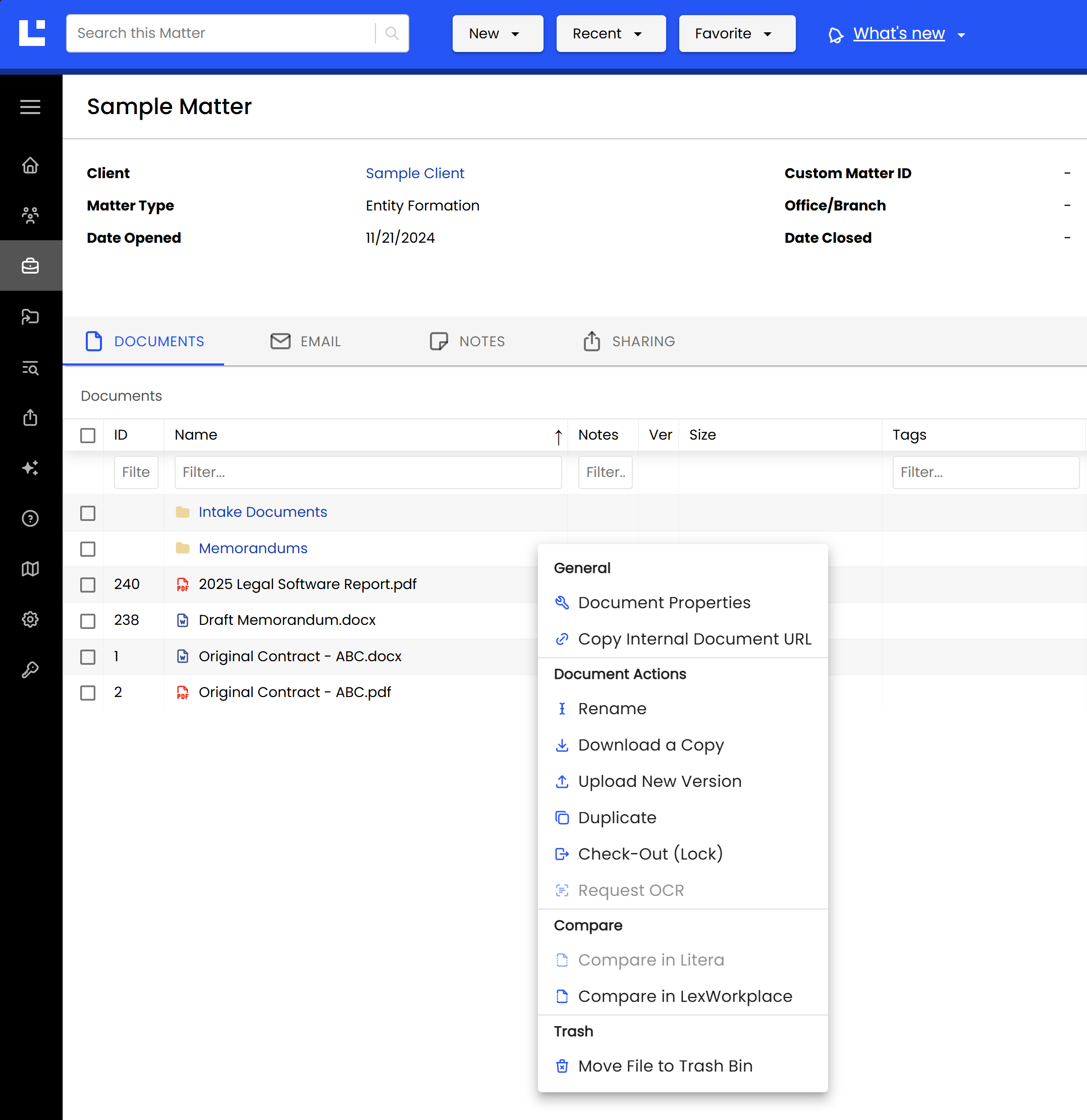
In our last update we shared the New Look for LexWorkplace. As a follow-up we’ve applied a fresh set of modern icons throughout LexWorkplace.
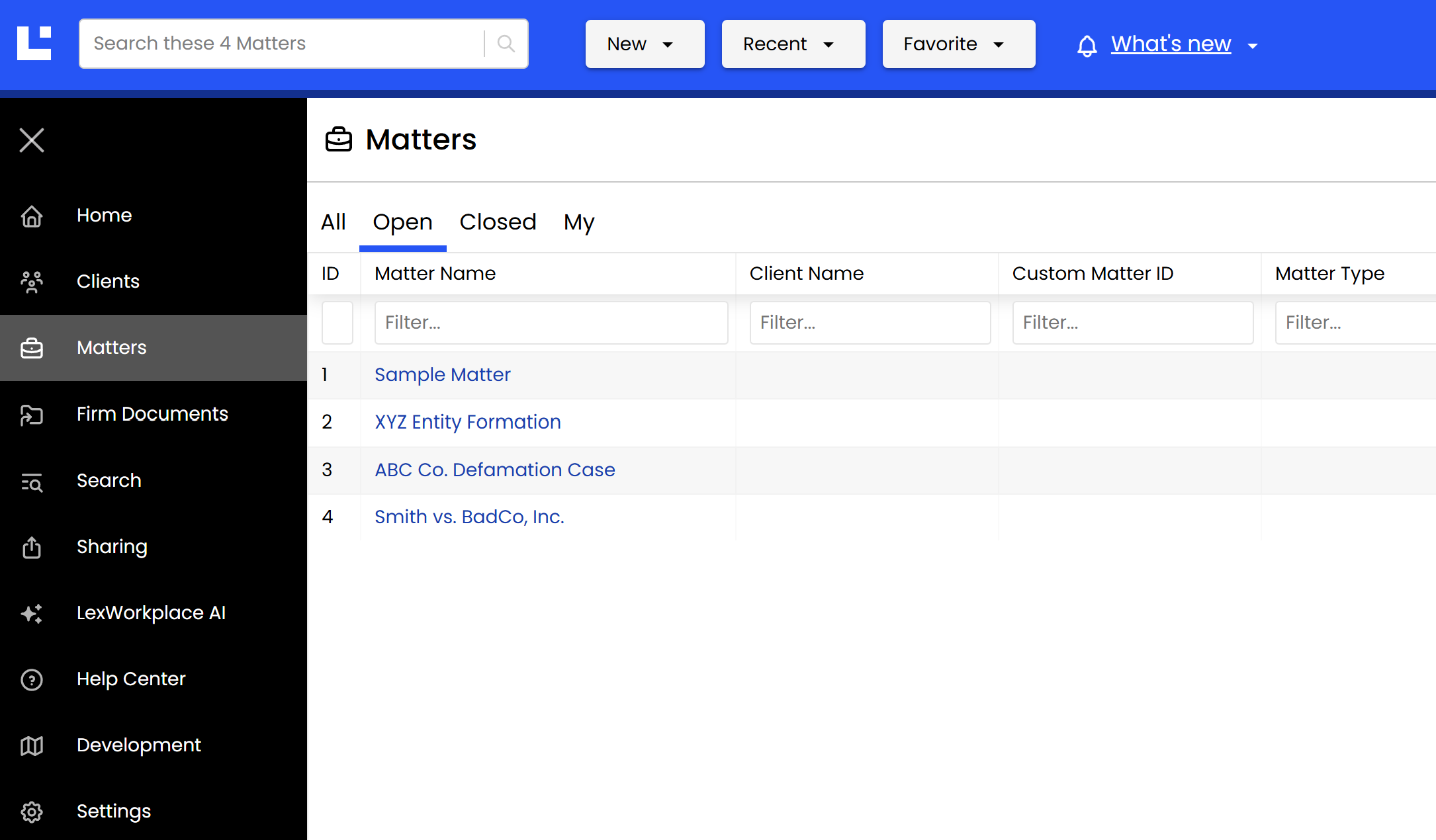
LexWorkplace’s new branding, colors and iconography support our mission to build powerful software that’s intuitive (and easy on the eyes).
But this update isn’t just about looks. We’ve added iconography to the four Matter tabs (Documents, Email, Notes and Sharing) as well as to the Properties (three-dot) menu for Documents, making it fast and easy to find the operation you’re looking for.
Contact our support team to enable and require MFA for all users in your firm.
Name New Document Created via Word Add-in
LexWorkplace for Office, our Microsoft Office add-in allows you to create a new document from within Word, then save to LexWorkplace. Historically, when users create a new document and save it to a Matter in this way, the document would be given a default and unhelpful name (requiring the user to manually rename the document after-the-fact).
Now, when creating a new Word document via LexWorkplace for Office (Word add-in), users will be prompted to give the document a friendly/useful name.
Miscellaneous Updates
Other updates in this release:
In Client detail (properties for a Client), we changed the data label for '“Primary Attorney” to “Assigned Staff,” to bring Client properties into uniformity with Matters, and to make it clear that any team-member, including non-attorneys, can be assigned to a Client.
Other performance improvements and miscellaneous bugfixes.