New in LexWorkplace
June 18, 2026
In This Release
Document/Email Preview in More Places
Rich Preview for XLS, XLSX and CSV Files
Miscellaneous Bugfixes
Document/Email Preview in More Places
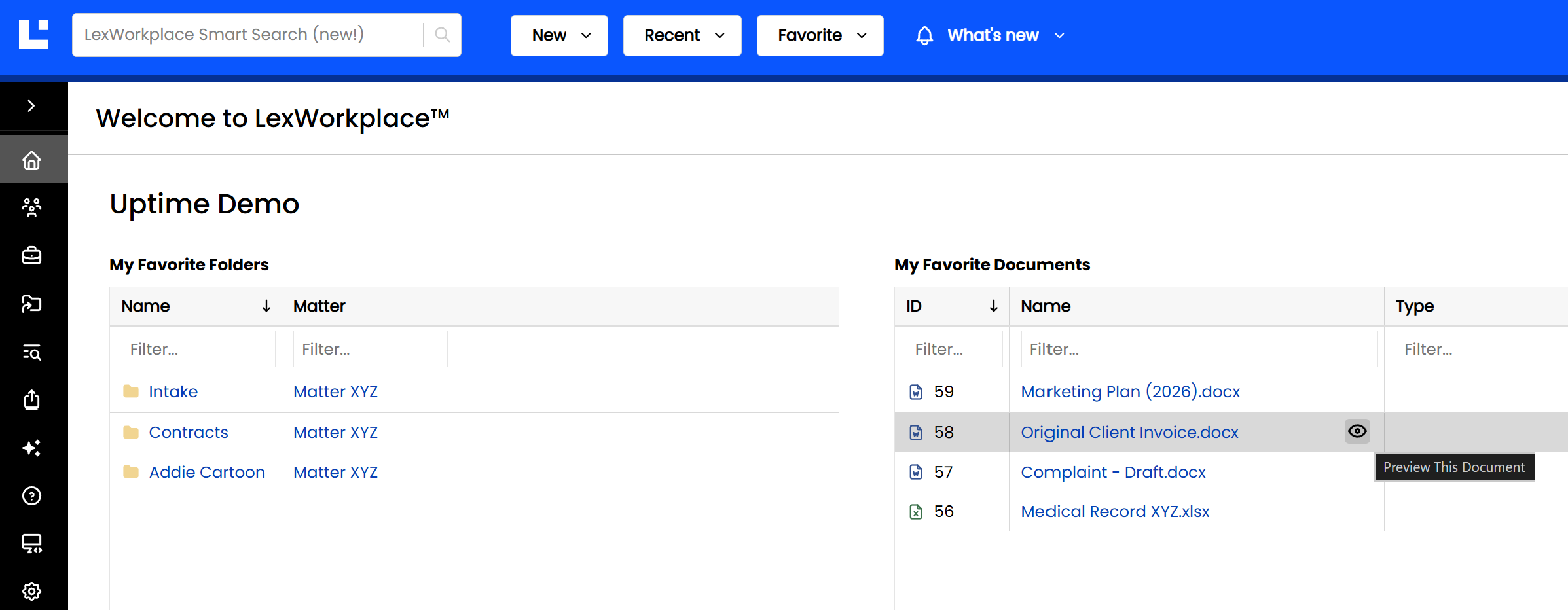
The ability to preview a Document or Email — by clicking the eye icon on hover — has long been a feature of LexWorkplace when browsing the Documents or Email tab of a Matter. With this update, that same full, rich preview is now available throughout the application.
Users can now preview Documents and Emails from:
Search Results — Preview a document directly from your search results page, without navigating to the Matter first.
Home Page (Dashboard) — Preview recent or pinned documents right from your Dashboard.
Document Properties Page — Preview the document while reviewing its metadata, tags, and details.
Version History — Preview any individual version of a document via the three-dot menu in the Version table.
Wherever you encounter a Document or Email in LexWorkplace, the preview eye icon is now there with you.
Rich Preview for XLS, XLSX and CSV Files
In a recent update, we introduced Rich Preview for DOCX and PDF files, enabling documents to render with full formatting — not just plain text — directly in LexWorkplace.
With this release, we've extended Rich Preview to spreadsheet files: XLS, XLSX, and CSV files now render as formatted tables in Document Preview, so you can review spreadsheet contents at a glance without opening Excel or downloading the file.