Applies To
LexWorkplace Starter, Core, Advanced
LexWorkplace provides an easy way to export Matter data (Documents and Email).
Exporting a Matter
Unlike other Document Management and Practice Management applications, LexWorkplace allows you to export and download an entire Matter and all contents (without having to download each individual file/document, one by one).
To export and download an entire Matter, navigate to that Matter, then click:
Actions > Export Matter
LexWorkplace will begin compressing and packaging the entire Matter into a zip file, and will begin the download once complete.

What’s Included
When you export and download a Matter in this way, the Zip file will have two top-level folders:
Documents
Email
(Including any items in the Trash Bin which have not been permanently deleted.)
Within the Documents folder of the Zip file you’ll find the contents of this Matter from the Documents tab; LexWorkplace will recreate/retain the folder structure you had in LexWorkplace, including sub-folders and contents therein.
Within the Email folder of the Zip file you’ll find the contents of this Matter from the Email tab; LexWorkplace will recreate/retain the folder structure you had in LexWorkplace, including sub-folders and contents therein.
What’s Not Included
The following is not included in the Matter Zip file download.
Matter Notes
Matter information/metadata (custom ID, client, office/branch, assigned staff, matter type, matter tags, opened and closed dates)
This Matter information can be exported to CSV seperately, see below for more information.
Previous versions of Documents
Exporting Firm Documents
While Firm Documents are not a Matter with a single “Export Matter” button, users can easily export/download some or all items from Firm Documents (that they have access to). To do this, simply select the items you wish to export (folders, documents, etc.) then click
Actions > Download N Items
LexWorkplace will begin compressing and packaging the selected items into a zip file, and will begin the download once complete.
Exporting Tables to CSV
You can also export any table in LexWorkplace to a CSV file. This includes main tables such as your Client or Matter list, as well as system tables such as Document Types, Document Tags, Matter Tags, and so on.
To export any table in LexWorkplace, simply click:
Actions > Export Data as CSV
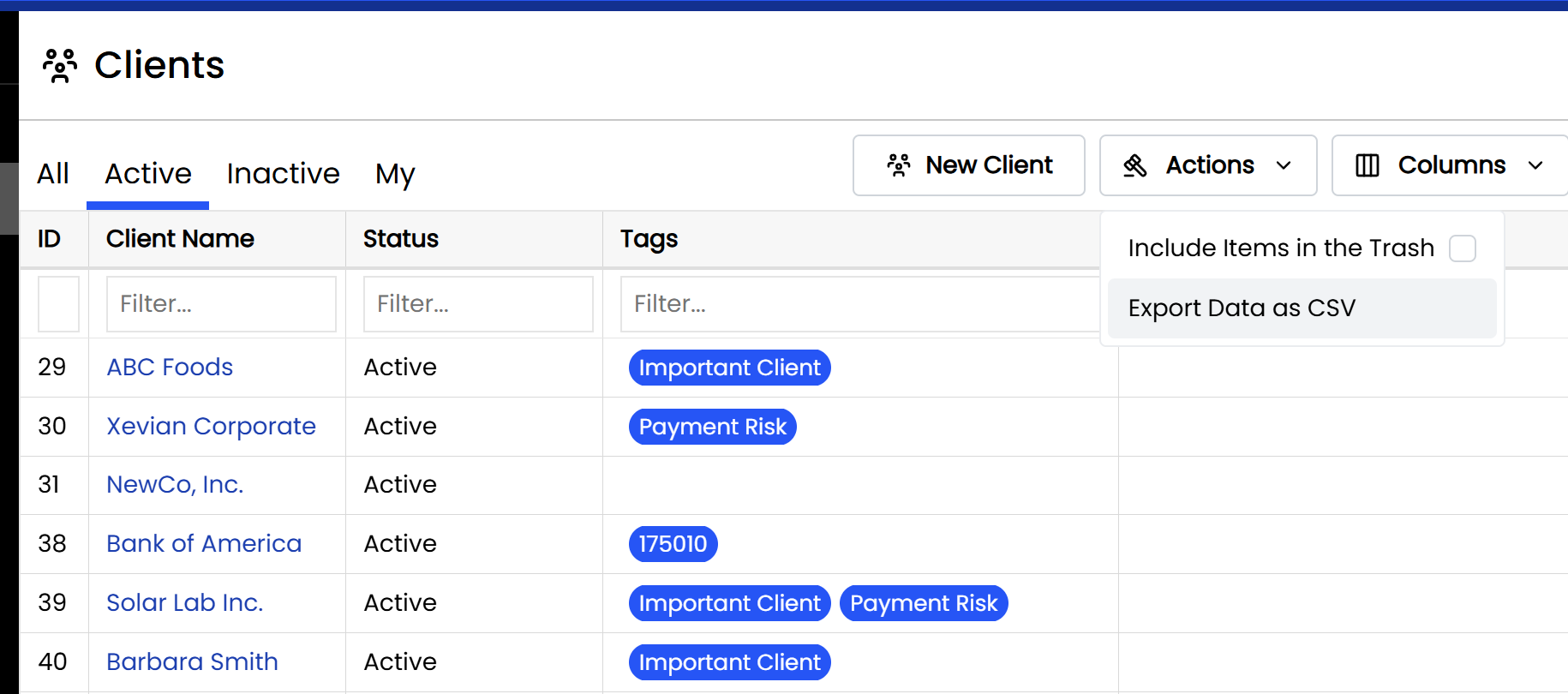
From here users can export only the records shown in the current view (such as, for instance, only Active Clients on the Active tab of Clients) or all records. Users can also select to include/exclude any columns that they wish.
Request a Feature
Would you like to see something specific exportable, or in a particular format?
Request a new feature! (And see what other user’s have requested.)